Custom software vs a template: what actually differs
What this article covers
- 1. What a template loads that you never use
- 2. Plugins, updates and the failures they cause
- 3. Who owns the site, and what happens if you leave
- 4. Why a lean backend lets you add 3D later
The choice is usually framed as cost against quality. In practice the gap is smaller than it looks, because a template is not free after the first year. Licences renew, plugins need replacing when they stop being maintained, and the labour to bend a fixed theme around an unusual process is billed at the same hourly rate as writing it properly. This article sets out what actually differs between a custom software development build and a theme bought from a marketplace.
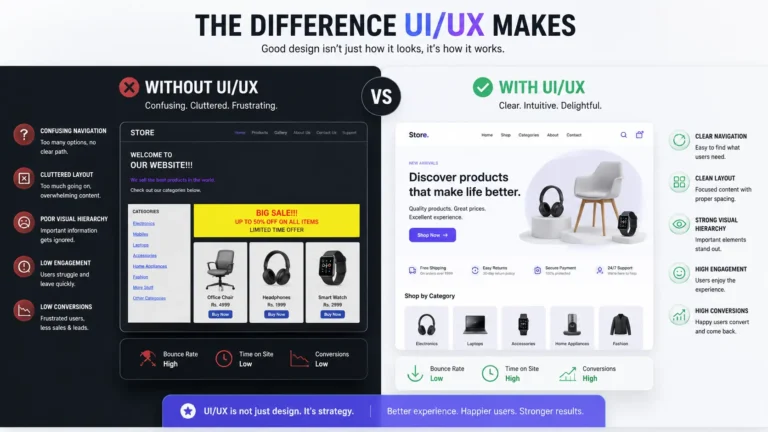
Templates are sold on speed, and they are genuinely fast to start. The cost arrives later, and it arrives in three places: code you did not write and cannot remove, plugins that stop being patched and a page that ships every feature to every visitor. The same trade-off shows up on every project, whether the client is a trades business, a wholesaler, or a 200-seat manufacturer, and the question is identical each time: does the software fit the way you work, or does your team end up working around the software.
 Figure 1: Where template weight accumulates — plugins, unused styles and third-party scripts.
1. What a template loads that you never use
A theme sold to thousands of buyers has to cover every feature any of them might want: sliders, portfolios, booking forms, page builders, icon sets. None of it is free — it is downloaded, parsed and executed on every page load. The pile usually includes styles for components you never placed, scripts that run on every page and queries that repeat work already done. Add third-party plugins that may stop being maintained, and the site is spending most of its weight on things nobody asked for. What a visitor notices is a slow page and fewer people reaching the enquiry form.
Writing it specifically for your business changes that. custom software development means the codebase holds what your workflow needs and nothing else. With a clean, standalone application written from scratch there is no plugin layer to load first. Pages render from the data they need, which is the cheapest way to stay fast and to pass Google's Core Web Vitals thresholds without a performance plugin guessing at runtime. It also helps on a mid-range phone on mobile data.
| What it looks like | A theme plus plugins | Written for one business |
|---|---|---|
| Page weight | Everything the theme ships, on every page | Only the code that page needs |
| Code maintenance | Updates arrive from several vendors at once | One codebase, one place to change things |
| Security | Every plugin is a door someone else controls | A smaller surface you own and can audit |
| When requirements change | Wait for a plugin that may never exist | Change the code that runs your business |
2. Plugins, updates and the failures they cause
As a business grows, the site stops being a brochure and starts doing work: client logins, quotes, stock lookups, order status. That is where a stack of unrelated plugins starts to show its seams. The list usually includes secure client registration and permissions, automatic state changes across sessions, and job or order data that has to appear the moment it changes.
Templates handle these jobs by adding another plugin. Each one updates on its own schedule, and eventually two of them want different versions of the same library. That is when a site breaks during an upgrade, or quietly stops saving something it used to save. silent failure under load : the form still submits, the record never arrives.
Building those pieces yourself avoids the version conflict. web application development starts at the data layer, with one schema you control and the background jobs and endpoints written against it. That is usually built on a runtime like Node.js, so the interface and the database speak one language. Whether the work is a booking flow, a supplier portal or a customer dashboard, the behaviour is tested end to end rather than assumed. Where the build meets your interface design work, the screens are designed by the same team rather than handed over as mockups.
3. Who owns the site, and what happens if you leave
With a hosted builder you rent the platform. The design, the content and the code that renders it live inside someone else's product, subject to their pricing and their uptime. If the plan you are on is retired, your options are to accept it or start again. enquiry pipeline stops with it . Price changes arrive with a renewal notice, not a negotiation. And if you want to move the site elsewhere, what you can export is usually the content — not the templates, not the custom fields, not the logic that glued it together. the parts that make the site work.
Custom software is different. The repository is yours, and with custom software development comes full ownership of the code. You can move it to another host, hand it to an internal team, or bring in a different developer. That portability is worth more than it sounds: it is the difference between negotiating from a position of strength and having no alternative.
4. Why a lean backend lets you add 3D later
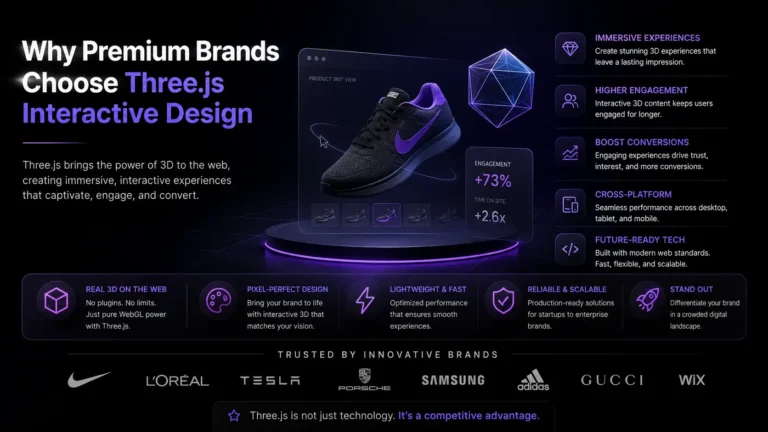
A fast backend is not only about page speed. It is what makes richer front ends possible: a 3D product viewer, a live configurator, a dashboard that updates without a refresh. Those features need data quickly and in small pieces. interactive elements that respond the moment someone touches them.
That only works when the backend is light. If every interaction triggers a full page render and half a dozen plugin queries, the animation stutters and the visitor blames the design. On a leaner stack the data arrives in one small response, which is what makes Three.js work practical rather than decorative — a scene that loads in stages, responds immediately, and does not fall over on a poor connection.
When a template is the right answer
Not every business needs custom software, and saying otherwise would be dishonest. If you are launching a five-page site, selling a handful of products, or testing whether an idea has demand, a well-chosen theme is the sensible spend. Custom development pays off when the site has to do something specific: hold a workflow, integrate with a system you already run, or explain a product that has to be understood before it is bought.
If you want to see how the front-end side of that works, read our guide to Three.js web development.
Not sure which way to go?
Describe what the site has to do and what it runs on today. We will tell you whether a template will carry it, or whether the requirements have already outgrown one. Start with our custom software development services, or send us the current site and we will point at the specific things we would change.